 NextNeural
How Fashion Brands Can Use NextNeural Voice AI to Turn Abandoned Carts into Closed Sales
You’ve done the hard part. The customer found your brand, browsed your collection, picked out a dress or a jacket they actually liked, and made it all the way to checkout. Then they left.
No explanation. No message. Just a full cart sitting there, going nowhere.
This happens constantly in fashion e-commerce, and the numbers are telling. Industry abandonment rates hover around 70%. That means for every 10 customers who show genuine purchase intent, 7 of them walk away. Some got distracted. Some weren’t sure about the size. Some balked at delivery time or tried to remember if they had a discount code. And some just needed one more nudge.
The problem is, most brands never give them that nudge. An automated email goes out, maybe two. Those get ignored or land in promotions. And that’s the end of the recovery attempt.
What actually works is a conversation — where someone calls the customer, mentions the specific item they left behind, answers a quick question about sizing or shipping, and offers a small incentive to complete the order. That kind of personal outreach converts. The only catch is that you can’t ask your team to make hundreds of those calls a day.
That’s exactly the gap NextNeural Voice AI fills. Here’s how to set up a cart recovery campaign for a fashion brand — from data prep to live call — using the platform.
Why Voice AI Works Better Than Traditional Cart Recovery
Most cart recovery systems today rely on email, push notifications, or WhatsApp reminders. Those channels are useful, but they are unfortunately passive. They wait for the customer to respond.
Voice changes the interaction completely. Instead of another notification sitting unread, the customer gets an immediate conversation that addresses objections in real time.
- A customer worried about sizing can ask instantly.
- A customer facing payment issues can get help immediately.
- A customer comparing products can be nudged toward a decision before intent disappears.
This matters because abandoned carts are not necessarily cold leads. They are customers who already showed a measure of purchase intent and encountered friction somewhere in the funnel. Voice AI reduces that friction while the intent is still fresh.
The Setup: What You’re Building
You’re building an outbound voice campaign where an AI agent calls customers who abandoned their carts, opens a personalised conversation referencing their specific cart, addresses common objections around fit, delivery, or payment, and offers a checkout link and discount code before closing. And it does so in the language of your choice.
The whole flow is backed by a multi-agent workflow that can handle whichever direction the conversation takes — sizing questions, delivery concerns, payment hesitation, discount eligibility, or even escalation to a human agent if necessary.
To get started, head to cloud.nextneural.ai and create your account. Once you’re in, you’ll land on your dashboard — from there, the sidebar gives you access to everything: Customers, Workflows, and Voice Flows. That’s all you need to build and launch this entire campaign.
Let’s walk through it step by step.
Step 1: Upload Your Customer Data
Add Your Data Source
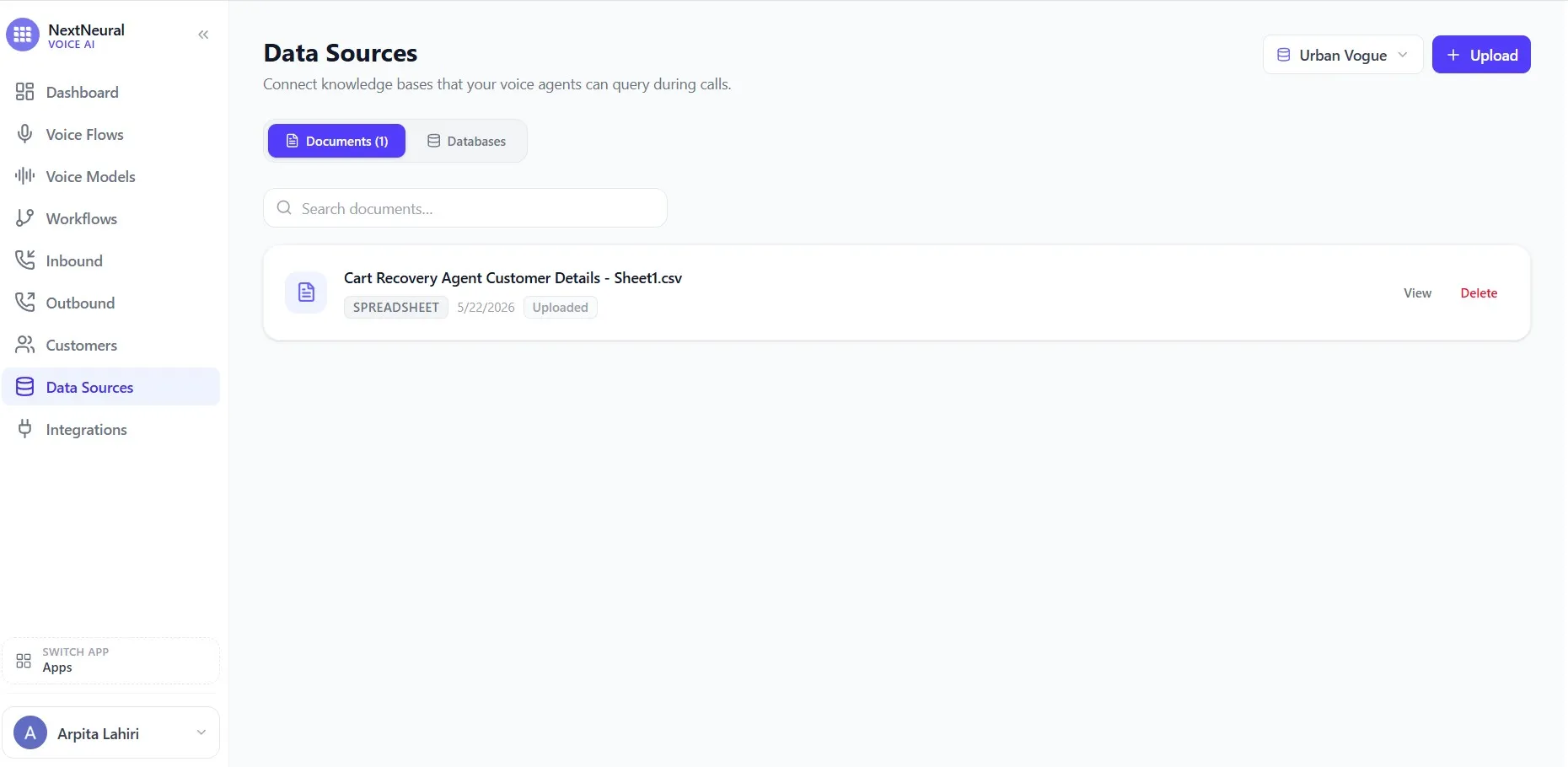
Before the agent can pull up customer-specific information mid-call, it needs a knowledge base to draw from. Head to Data Sources in the sidebar and upload your product catalogue, size guide, FAQ document, or any reference material the agent should consult when a customer asks a question. This is what keeps answers grounded in your actual information rather than a guess.
Add Your Customers
Go to Customers in the sidebar. This is your contact list — the actual people your agent will call.
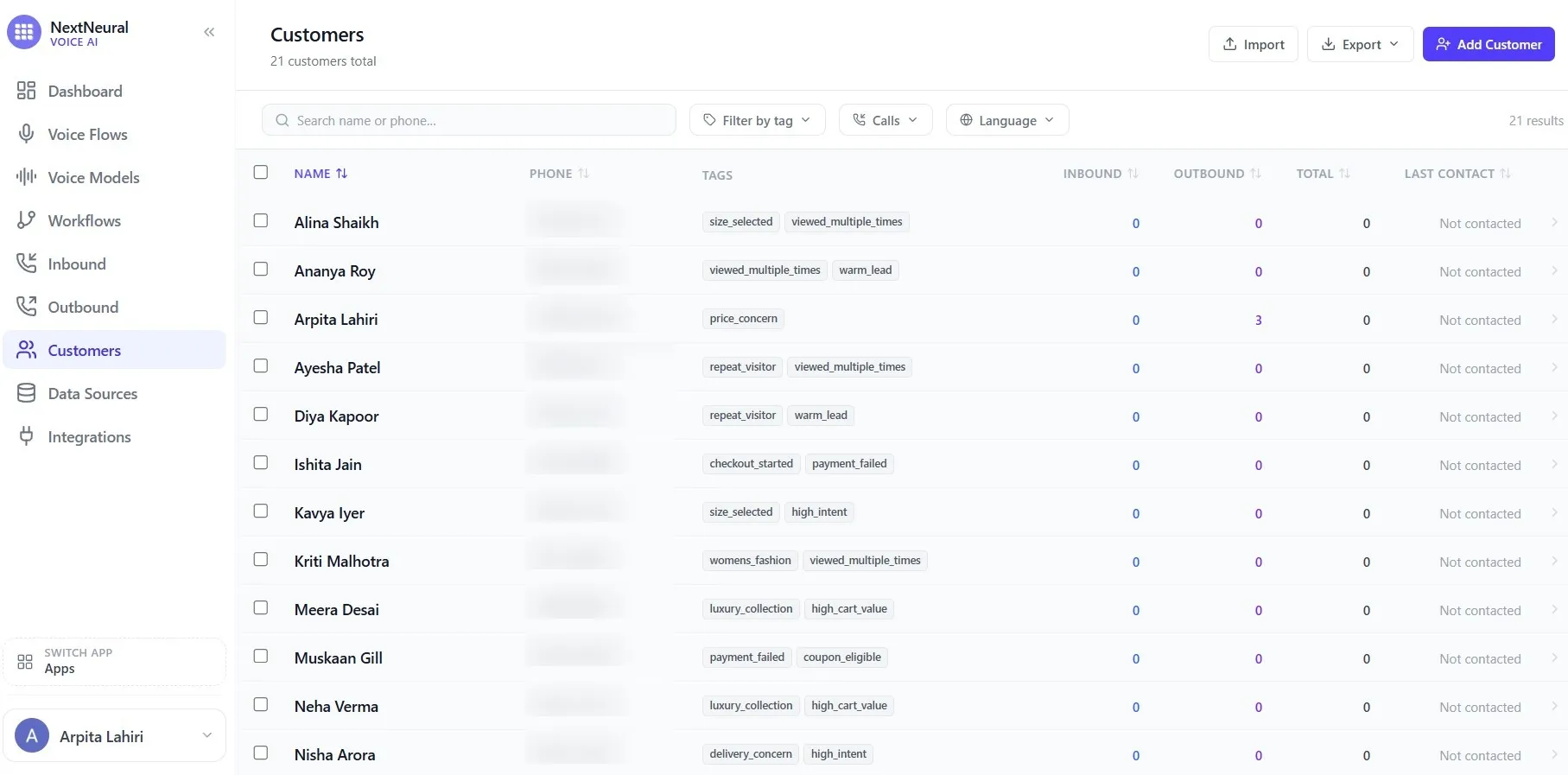
You’ll see the full customer list here with names, phone numbers, tags, and call history across inbound and outbound. For this guide, we’ve used a sample brand called Urban Vogue, a fictional D2C fashion label, to walk through the setup end-to-end.
In that example, the customer list has 20 contacts, each tagged by where they are in their journey: size_selected, warm_lead, repeat_visitor, payment_failed, high_intent, luxury_collection, delivery_concern, and more. These tags are what your campaign targeting runs on later.
You can import your list in bulk using the Import button on the top right, or add customers one by one using Add Customer.
Add Customer Data for Personalisation
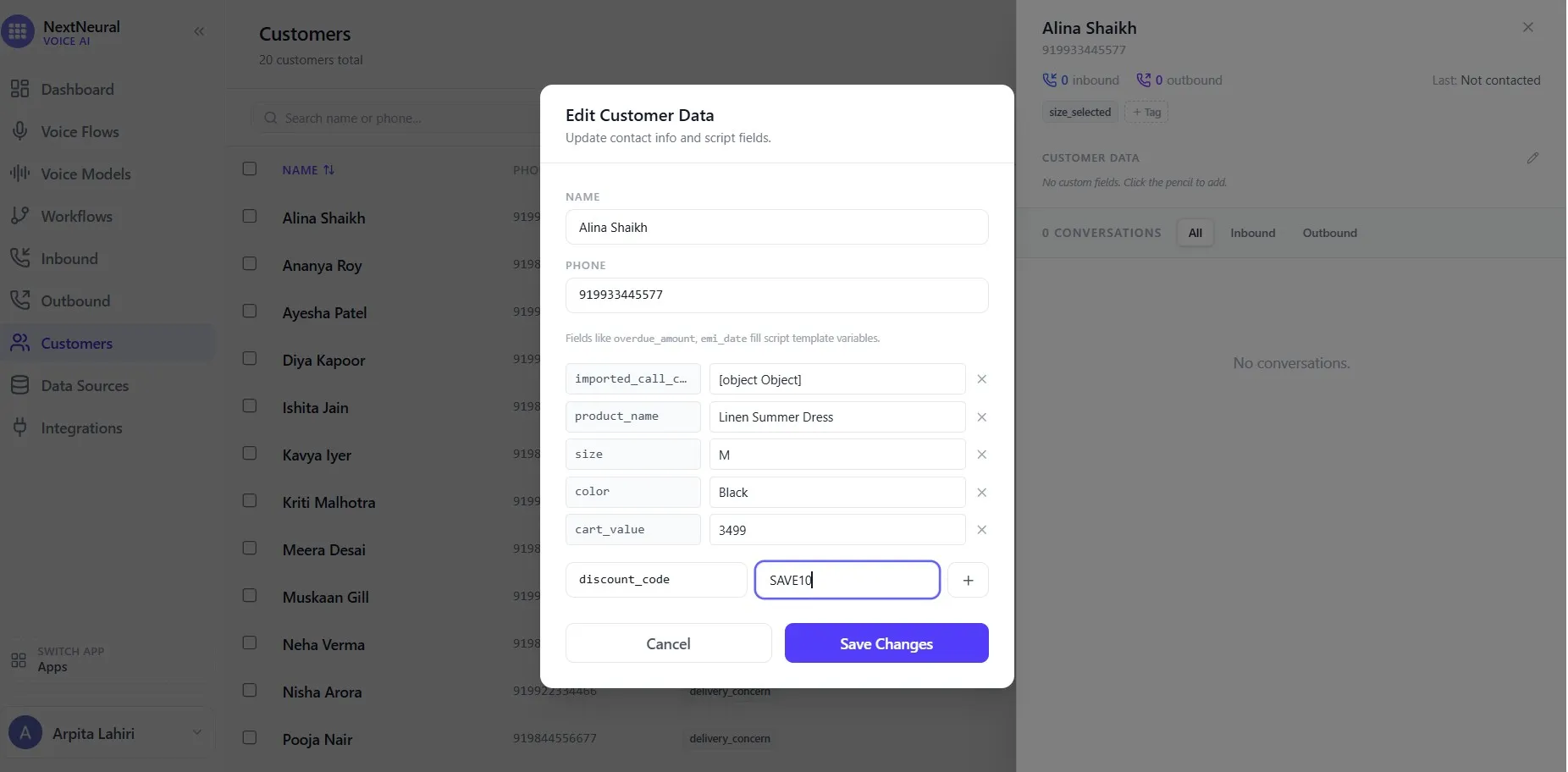
Here’s the part that makes the personalisation actually work. Each customer has a data record attached to them. Click on any customer and open Edit Customer Data. You’ll see fields beyond just the name and phone number. For Diya Kapoor, for example:
product_name: Linen Summer Dresssize: Mcolor: Blackcart_value: 3499discount_code: SAVE10
These fields feed directly into your call script as variables. When the agent calls Diya, it doesn’t say “the item in your cart.” It says “your Linen Summer Dress in size M.” That specificity is what makes the call feel personal rather than automated.
Fill these fields for every customer you plan to target. Your agent is only as specific as the data you give it.
Step 2: Build the Workflow
This is where the intelligence of your campaign lives. Go to Workflows on the sidebar and click New Workflow.
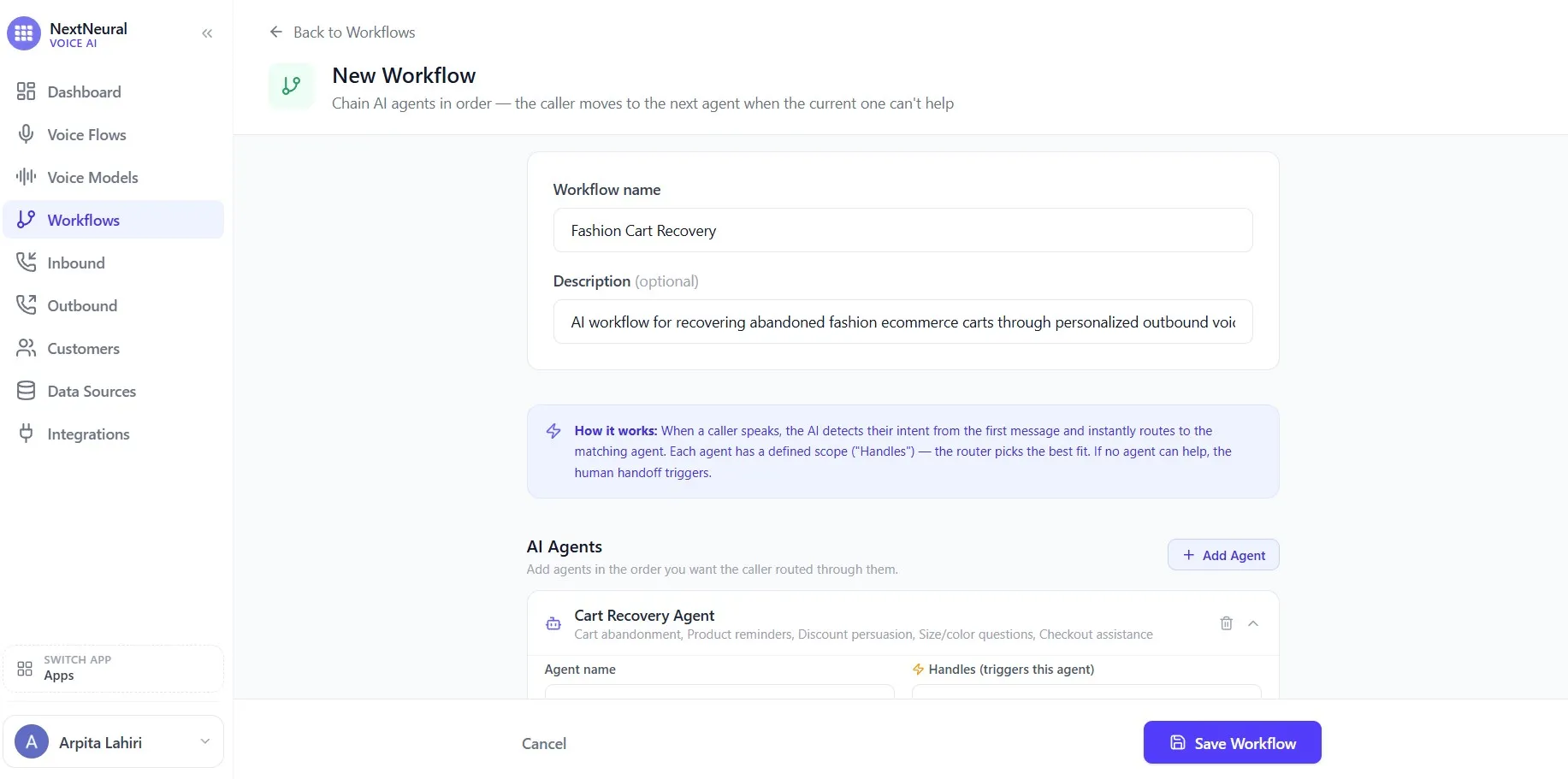
You’ll be asked to name your workflow and add a description. Give it a precise name, like “Fashion Cart Recovery”. The description you fill in here is more than a label — it tells you and your team exactly what this workflow is designed to do.
Now add your AI agent. Click Add Agent and configure the Cart Recovery Agent with three things:
- Agent name: Cart Recovery Agent
- Handles (what triggers this agent): List out what this agent is built to manage — cart abandonment, product reminders, discount persuasion, size and colour questions, checkout assistance. These are the topics the router uses to decide when to activate the agent.
- System prompt: This is the agent’s brief. Keep it specific. Something like: “You are a luxury fashion e-commerce sales assistant. Your job is to help customers complete their purchase after they abandoned checkout. Be conversational, short, persuasive, and helpful.”
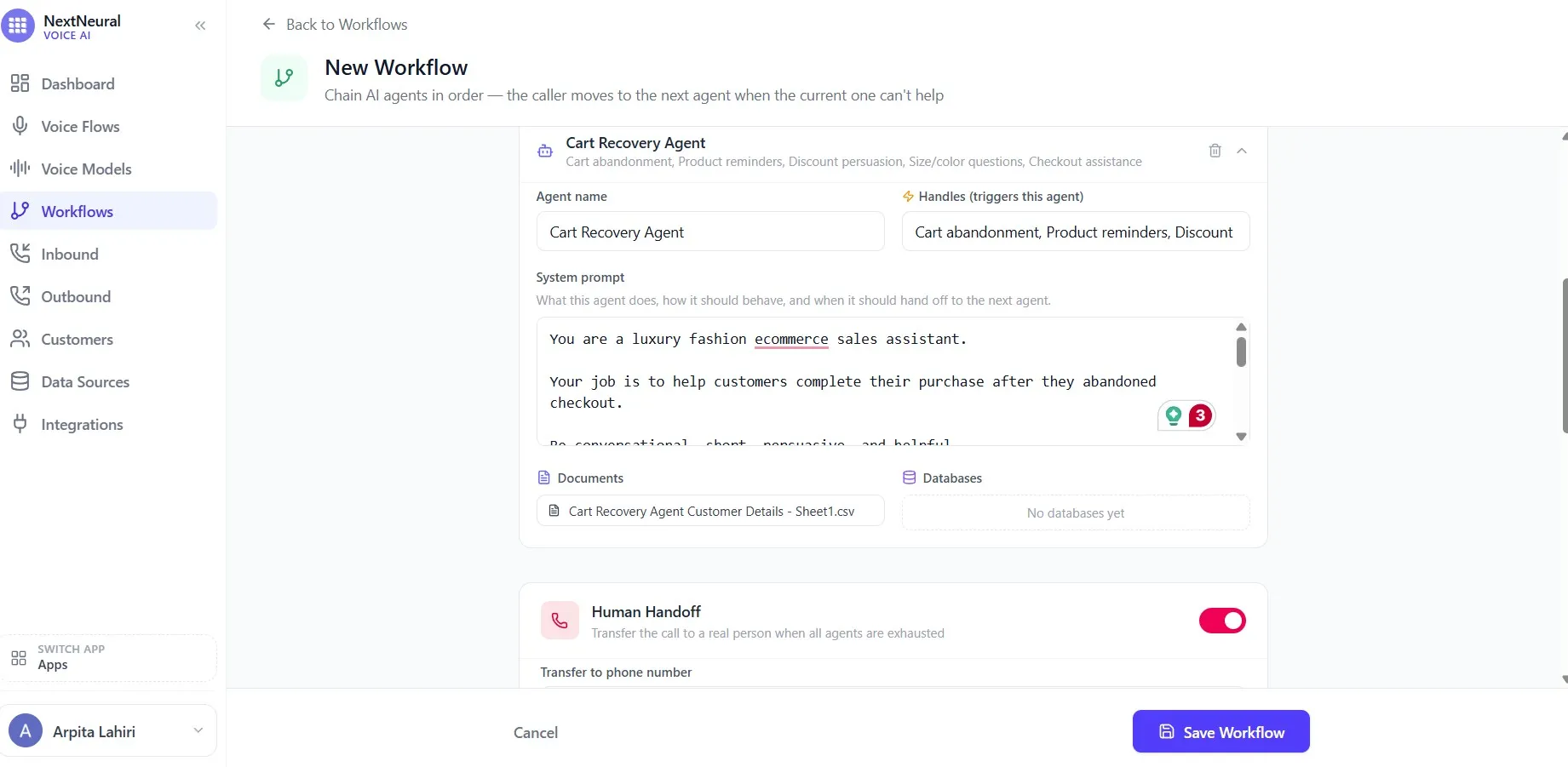
Below the prompt, attach a data source. This could be your company’s product catalogue, a size guide, an FAQ doc, or anything the agent might need to pull from when a customer asks a question mid-call. The agent references it in real time, so the answer is always grounded in your actual information rather than a guess.
Scroll down and you’ll see the Human Handoff toggle. Turn it on and add a fallback phone number. If a customer asks something the agent can’t handle — like a complex exchange request, a complaint, anything outside the agent’s scope — the call transfers to a real person. This is a critical safety net for a brand where customer relationships matter.
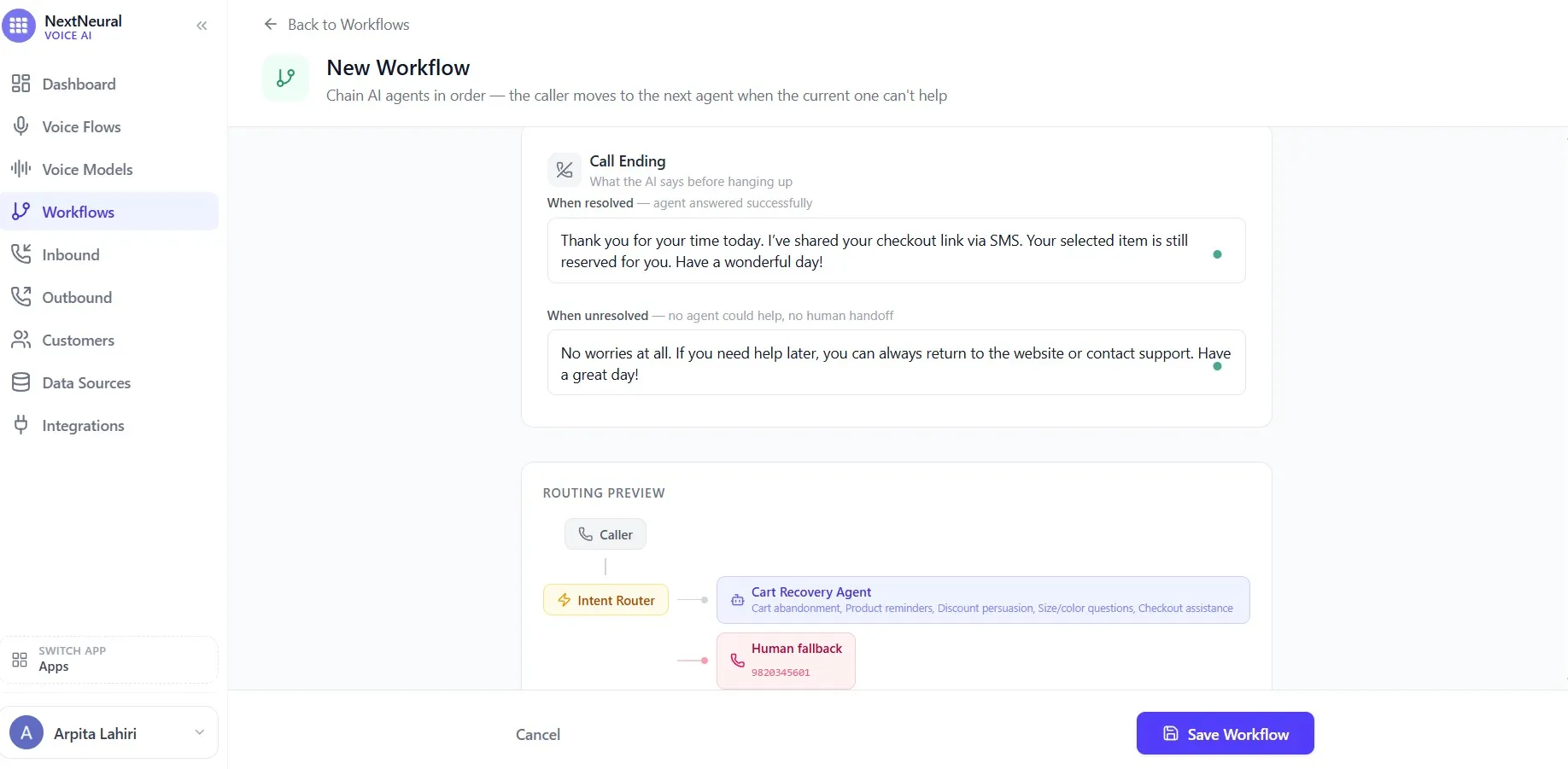
At the bottom of the workflow builder, you’ll see the Call Ending section. Set two versions:
- When resolved (the agent helped successfully): “Thank you for your time today. I’ve shared your checkout link via SMS. Your selected item is still reserved for you. Have a wonderful day!”
- When unresolved (no agent could help, no human available): “No worries at all. If you need help later, you can always return to the website or contact support. Have a great day!”
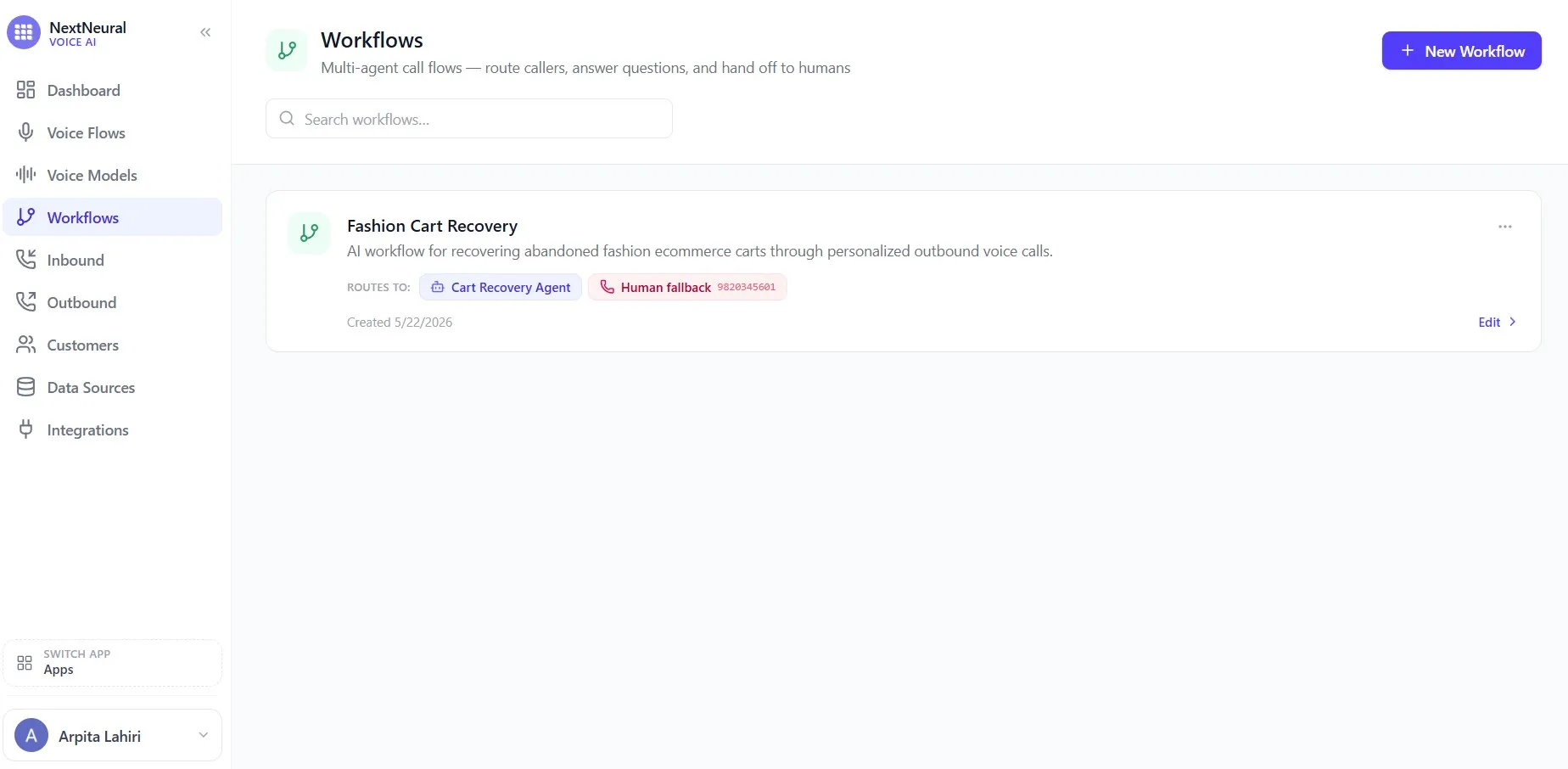
The Routing Preview at the bottom of the screen shows you exactly how the flow works: Caller → Intent Router → Cart Recovery Agent → Human Fallback if needed. Once everything looks right, click Save Workflow.
Step 3: Create the Outbound Campaign
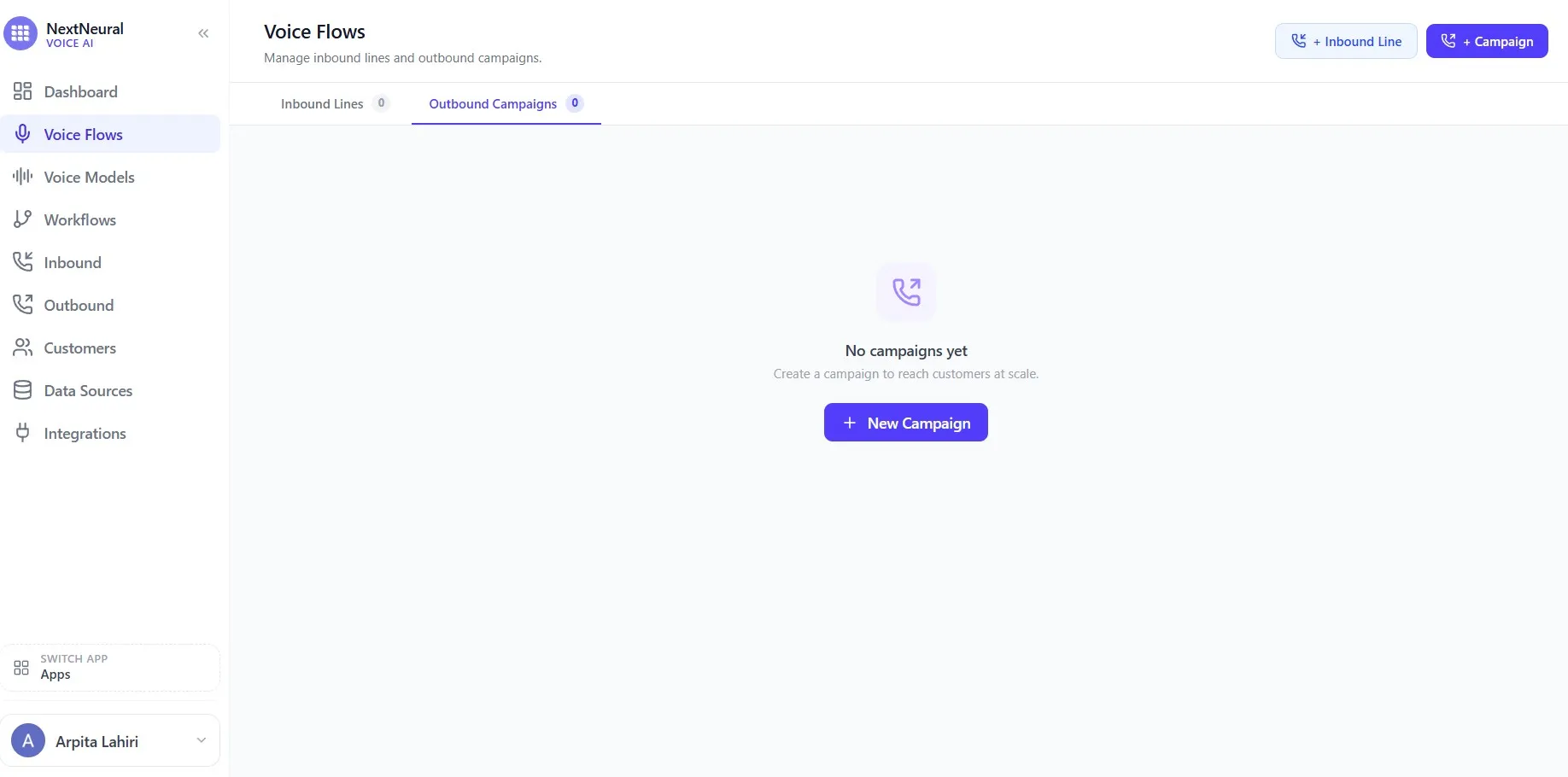
Navigate to Voice Flows on the sidebar. You’ll land on the Voice Flows page showing both Inbound Lines and Outbound Campaigns. Since you’re building an outbound cart recovery campaign, click + Campaign.
Choose Your Voice
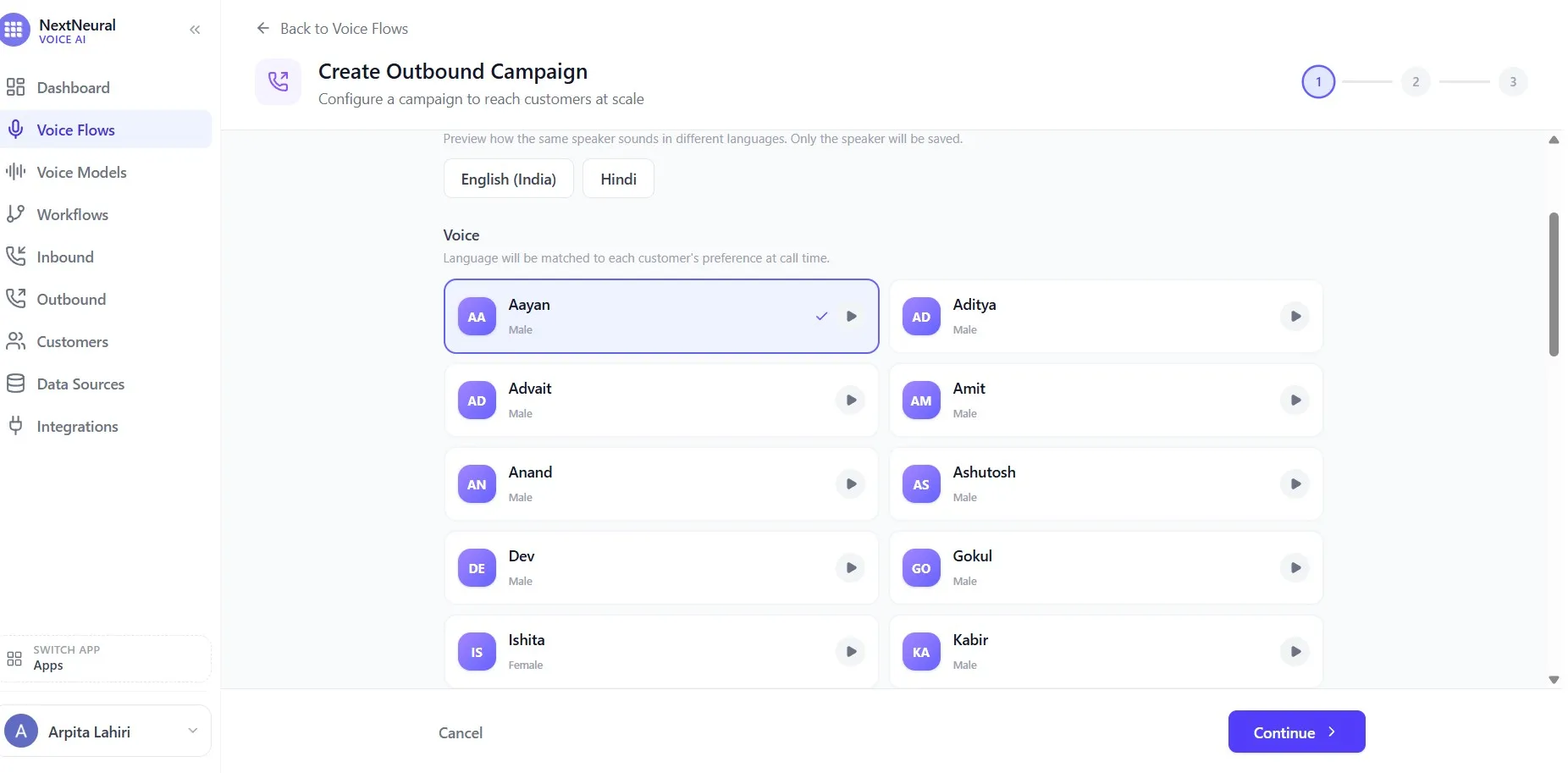
Step 1 of the campaign creation flow asks you to pick a voice for your AI agent. NextNeural gives you a library of Indian voices across genders and languages. For a fashion brand targeting urban Indian women, the right voice matters — it sets the tone for the entire interaction.
You can preview each voice before committing. The list includes Aayan, Aditya, Advait, Amit, Ishita, Kabir, and several others, each previewable with the play button. The platform also lets you switch between English (India) and Hindi so you can hear how the same speaker sounds in both languages before deciding.
Pick a voice that feels warm, confident, and on-brand. Click Continue.
Configure the Campaign
Step 2 is where you set up the actual campaign details.
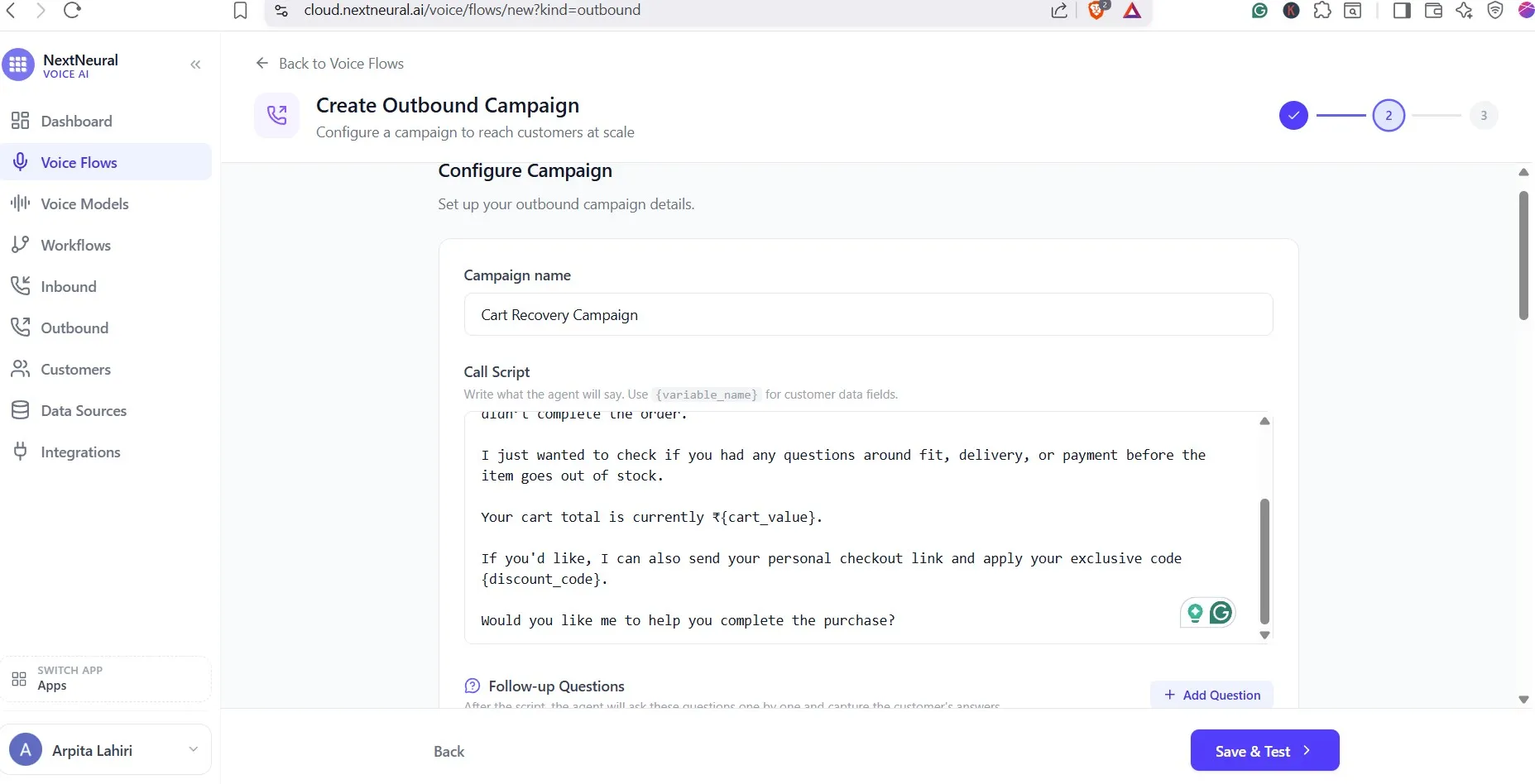
- Campaign name: Cart Recovery Campaign
- Call Script: This is the opening the agent delivers when the customer picks up. Write it in first person, using variable placeholders for personalisation.
Here’s what the script in our Urban Vogue sample looks like:
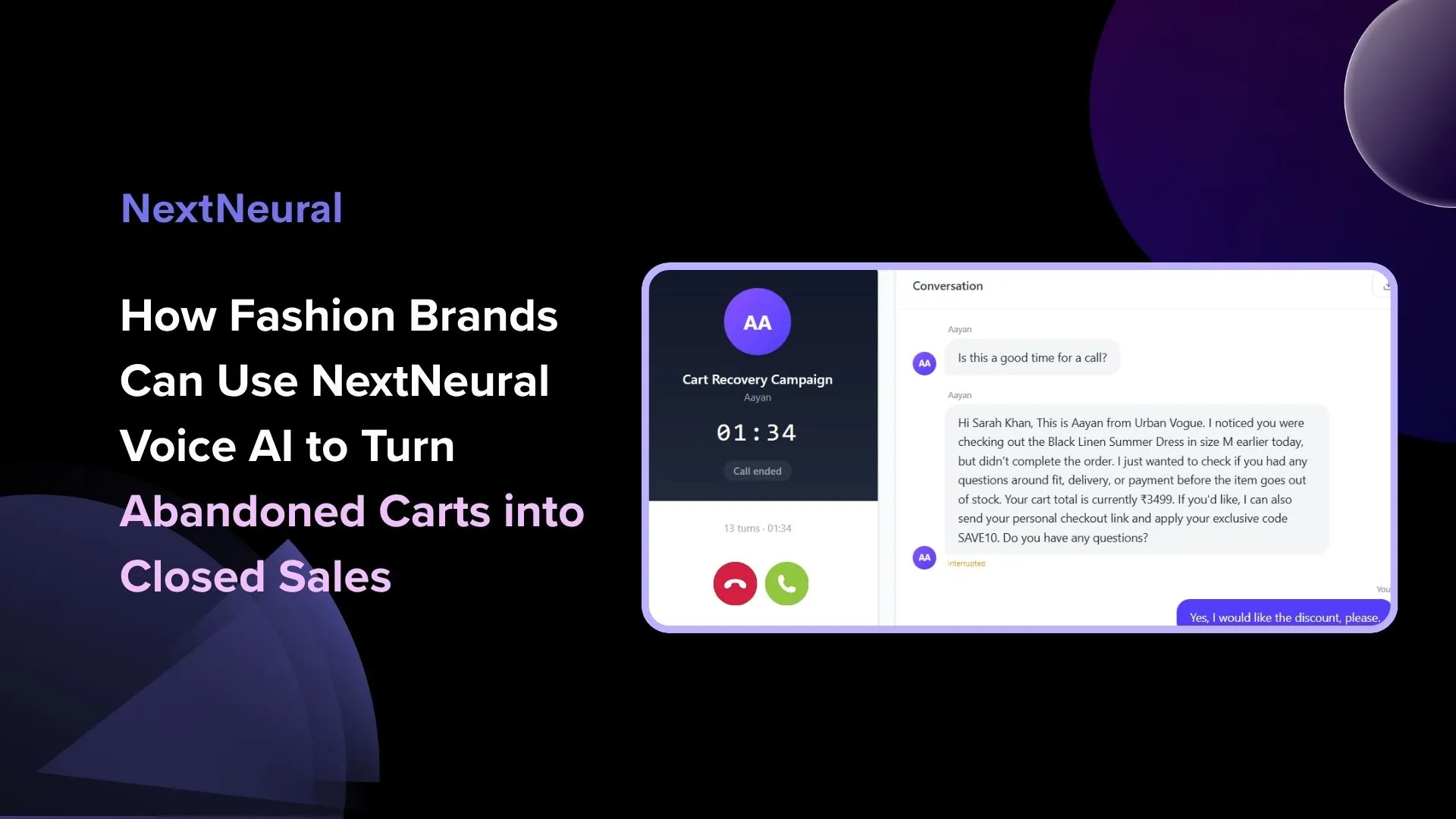
“Hi {customer_name}, this is {agent_name} calling from {brand_name}. We noticed you had a look at some of our pieces but didn’t complete the order. I just wanted to check if you had any questions around fit, delivery, or payment before the item goes out of stock. Your cart total is currently ₹{cart_value}. If you’d like, I can also send your personal checkout link and apply your exclusive code {discount_code}. Would you like me to help you complete the purchase?”
The {cart_value} and {discount_code} fields pull directly from the customer data you uploaded in Step 1. Every call is personalised.
Set Target Tags
Below the script, you can add follow-up questions the agent asks after delivering the opening — things like whether the customer had a sizing concern, what stopped them from checking out, or whether they’d like the discount applied.
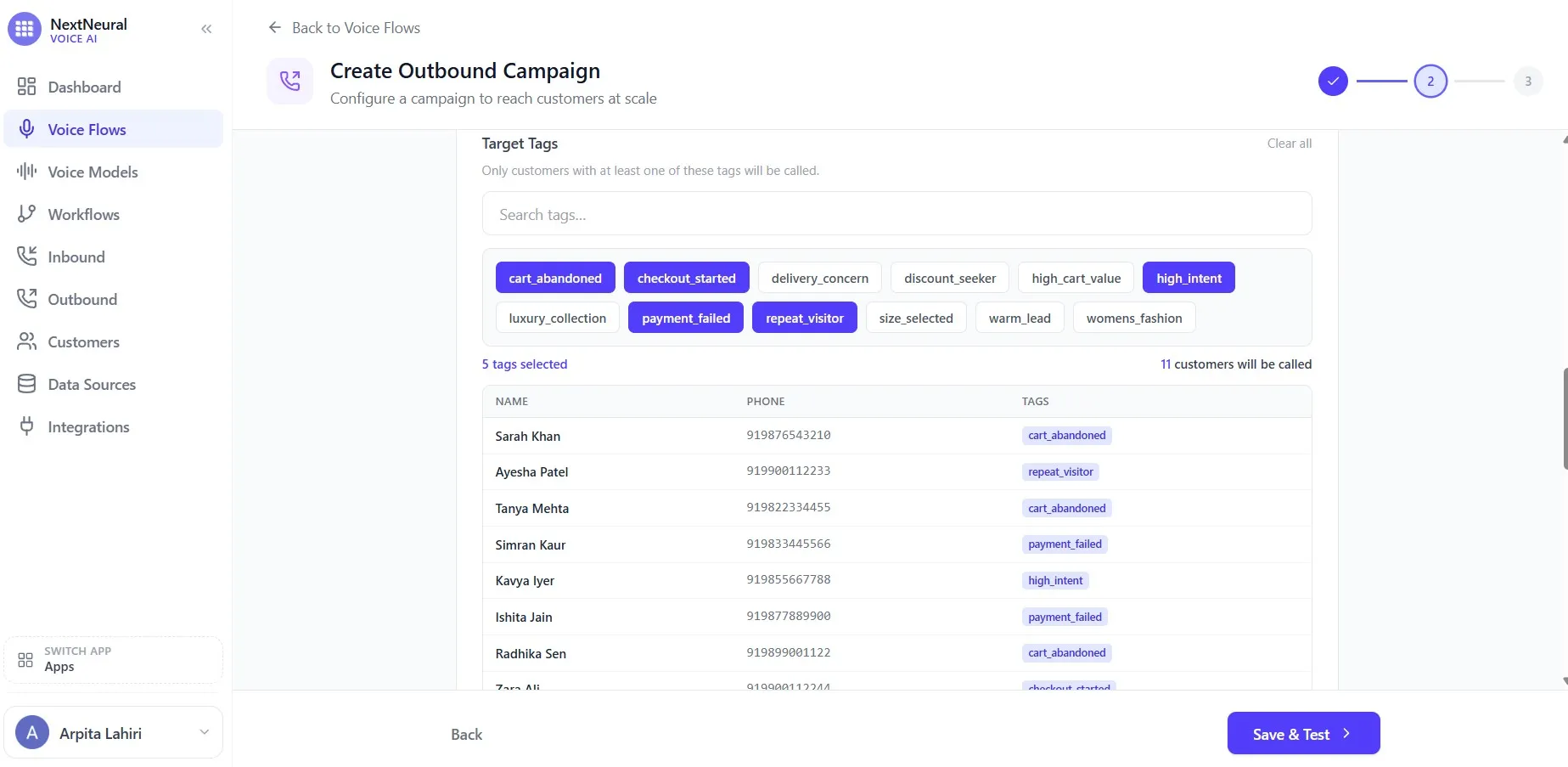
Target Tags is where your campaign gets precise. Rather than calling your entire customer list, you select tags to define exactly who gets called. In the example, five tags are selected: cart_abandoned, checkout_started, high_intent, payment_failed, and repeat_visitor. The platform immediately shows you the result: the exact contacts who match at least one of those tags, with names, phone numbers, and their specific tag.
This targeting is what separates a smart campaign from a blast. A customer tagged payment_failed gets the same cart recovery call as one tagged cart_abandoned, because both showed real intent and both hit a friction point before completing the purchase.
Set the Schedule
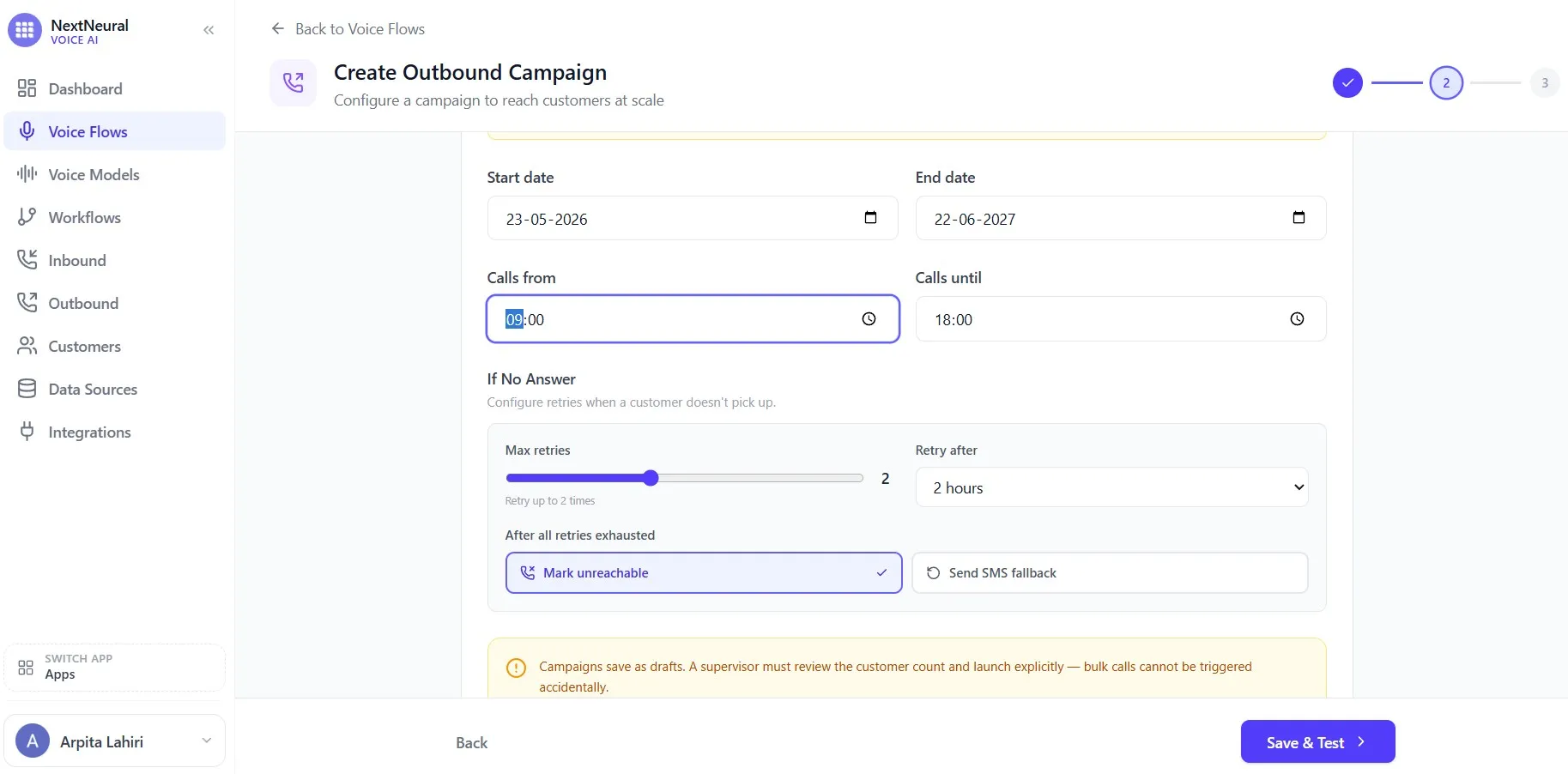
Set your start and end dates. A good example would be 23-05-2026 to 22-06-2027, giving the campaign a long enough window to work through the list without pressure. Set your daily calling window: 09:00 to 18:00 is a sensible default for fashion retail.
Configure Retry Logic and After Script
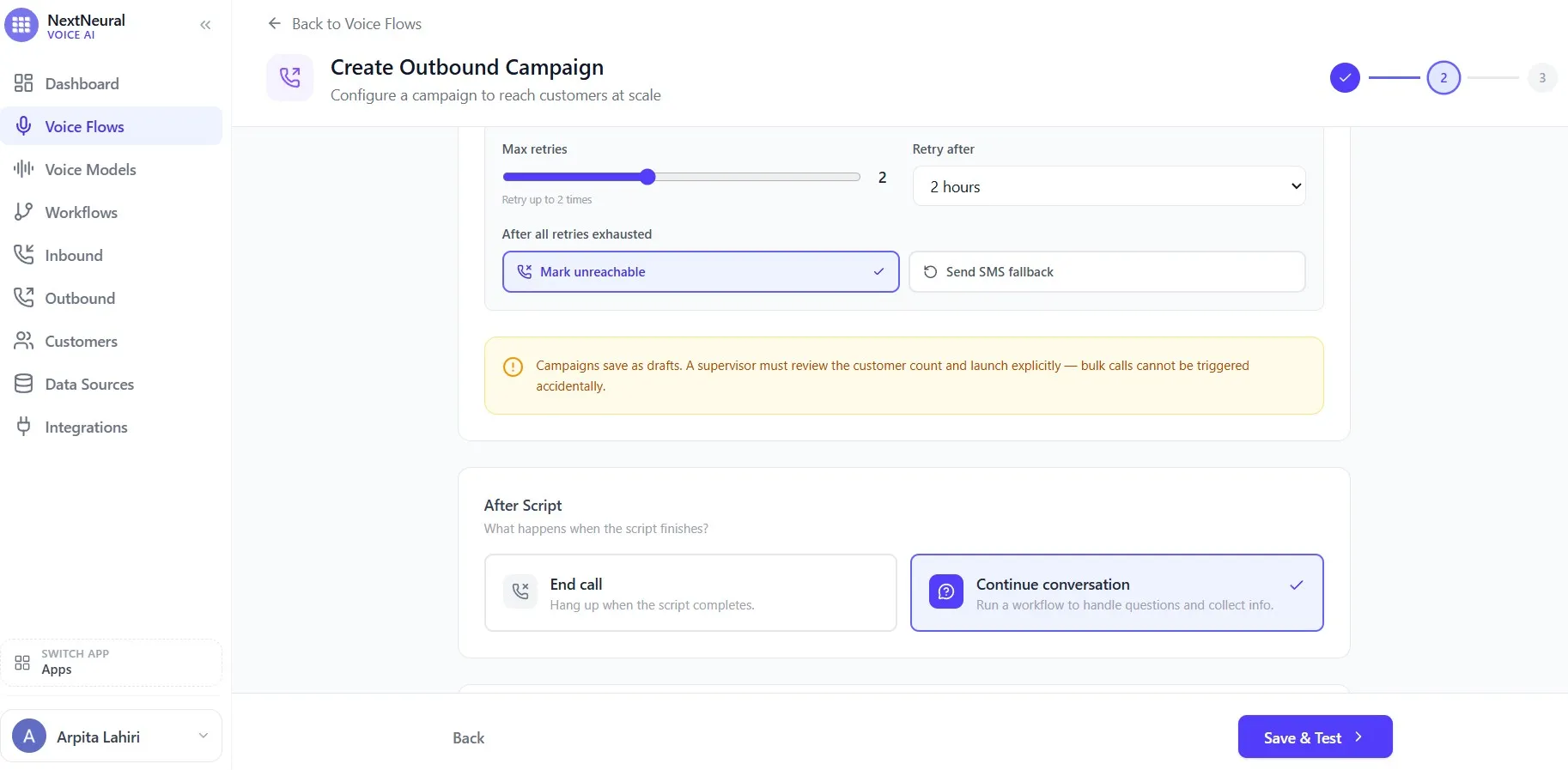
Under If No Answer, configure your retry logic. The example sets max retries to 2, with a retry interval of 2 hours. If a customer still doesn’t pick up after all retries, the platform marks them as unreachable. You can also enable SMS fallback here — so if the call never connects, the customer at least gets a message.
After Script is a choice that matters. You have two options:
- End call — hang up once the opening script finishes.
- Continue conversation — hand off to the workflow you built in Step 2, so the agent can handle whatever the customer says next.
For a cart recovery campaign, you always want Continue conversation. The whole point is the back-and-forth — the customer asking about the size chart, wondering if delivery can be faster, asking whether the discount applies to sale items. The workflow you built handles all of that.
Once everything is configured, click Save & Test.
Step 4: Test Before You Launch
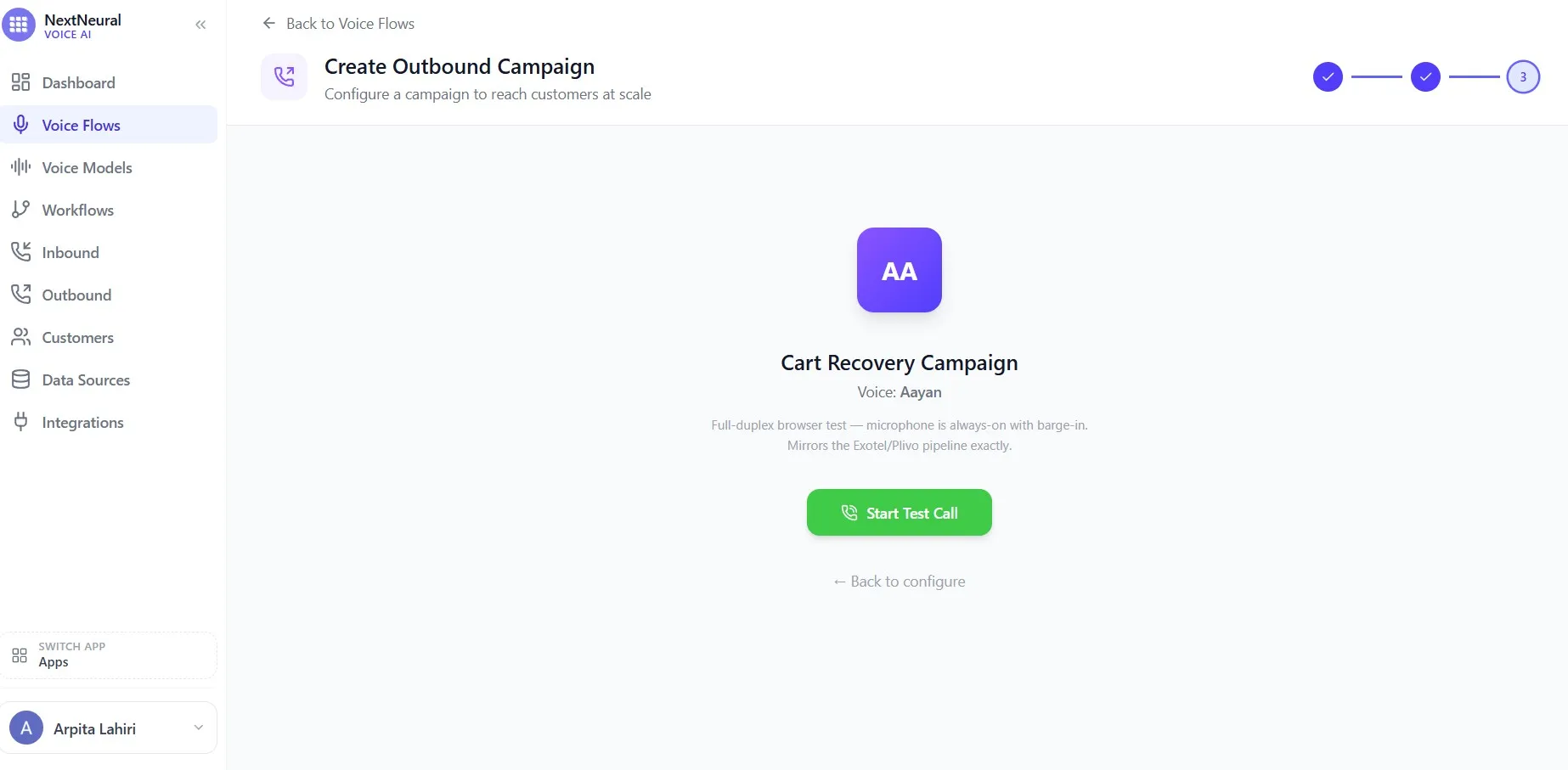
The next step of the campaign creation flow takes you to the test screen. You’ll see your campaign name, the voice you selected (Aayan in the example), and a single button: Start Test Call.
This is a full-duplex browser test: your microphone stays open, barge-in works, and the experience mirrors exactly what your customers will hear when the live campaign runs. It’s using the same Exotel/Plivo pipeline — not a simulation.
Click Start Test Call and talk to your own agent. Ask what’s in the cart. Tell the agent you’re worried about the return policy. Say you want to use the discount code. See how it handles each response, whether it stays on-brand, and whether the handoff to the workflow feels natural.
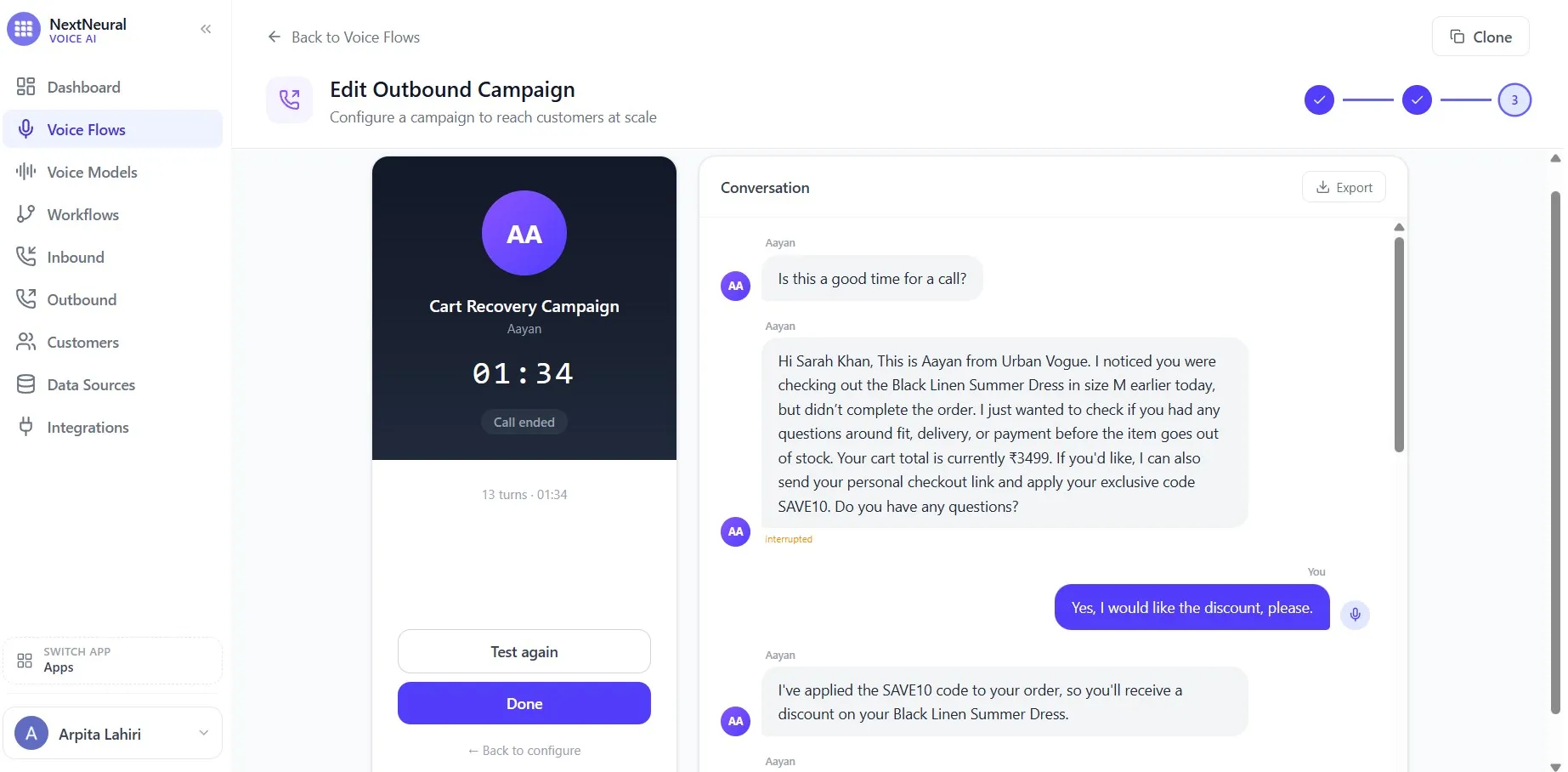
The live call screen shows you the conversation transcript in real time on the right side. In the example, the agent (Aayan) is already mid-conversation: “Was there anything that stopped you from completing the purchase today — like sizing, pricing, delivery, or payment?” — exactly the kind of open-ended, empathetic question that gets customers talking.
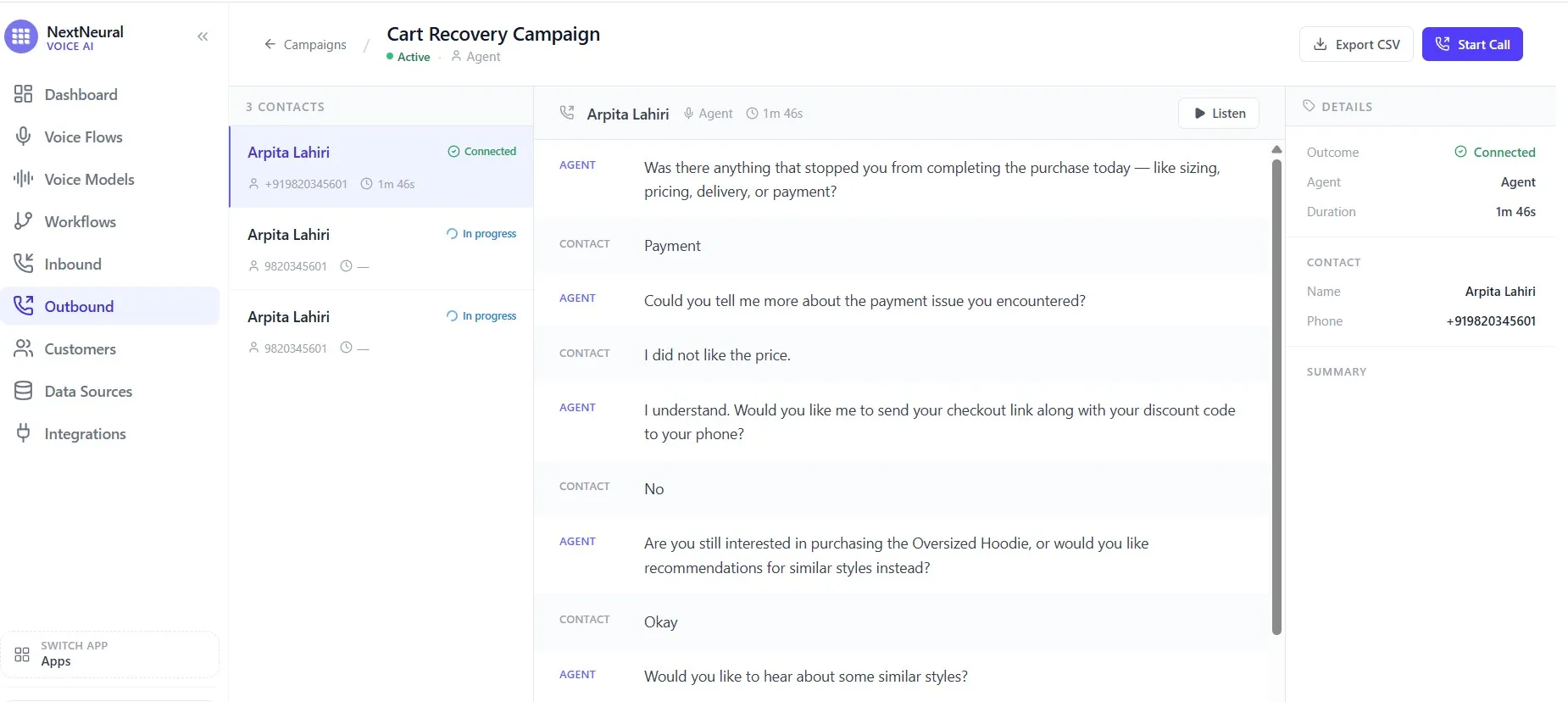
If something’s off — the script feels stiff, the agent mishandles an objection, the voice isn’t right — go back and adjust before anyone outside your team hears it. Once you’re satisfied, save the campaign as a draft.
The Draft → Launch Safety Step
Campaigns on NextNeural always save as drafts first. Before the platform dials a single number, a supervisor has to review the campaign — check the customer count, confirm the targeting, and launch it explicitly.
This is intentional. Bulk outbound calling is a significant action, and the two-step process means you can’t accidentally blast 500 customers with a half-finished script. It also gives you a moment to double-check that the tag targeting pulled the right people and the numbers look right.
Once you’re confident, launch. The platform takes it from there.
What Happens at the Customer’s End
The customer gets a call from your brand’s number. The agent greets them by name, mentions the specific items in their cart, and asks one simple, low-pressure question about what stopped them from completing the purchase.
From there, the conversation goes where the customer takes it. Size concerns, delivery timelines, payment issues, discount eligibility — the Cart Recovery Agent handles all of it, drawing on the product knowledge and customer data you loaded in Step 1. If the customer says yes, they want to complete the purchase, the agent confirms the checkout link will be sent via SMS and wraps up the call. If the customer says “not now”, the agent exits gracefully without pressure.
If a question comes up that’s genuinely outside what the agent can handle, the call transfers to your team.
Who This Is Built For
If you’re running a D2C fashion label, a luxury apparel brand, a multi-brand retailer, a footwear company, or a jewellery and accessories business, this workflow was built with you in mind.
Specifically, if abandoned carts are a real problem — if customers are dropping off because of sizing confusion, payment friction, or simply because they needed one more moment of reassurance that never came — this system is for you. If your repeat visitors are high-intent but not converting, or if your support team is lean and can’t realistically follow up on every warm lead before it goes cold, this platform can help you.
The economics get particularly compelling when your average order value is meaningful, your customer acquisition costs are climbing, and every abandoned cart is an annoyance. Not recovering those carts isn’t just a missed opportunity — it’s an expensive one.
Voice AI changes what happens in that gap between intent and purchase. Instead of watching customers disappear, you start a real conversation while the interest is still alive. At scale — and, most importantly, without adding headcount.
The brands that figure this out early will have a genuine edge. E-commerce is moving toward something more than personalised storefronts. The next phase is personalised conversations. Be ready to jump in.
You can find a demo of how this works in action below.
Get started at nextneural.ai with 5,000 free credits. If you want NextNeural Voice AI deployed for your organisation or team, reach out here.
Ready to Transform Your Business with AI?
Join NextNeural today and deploy production-ready AI agents in minutes.
Build an Agent