 NextNeural
How to Perform Call Analysis on Customer Data in Salesforce
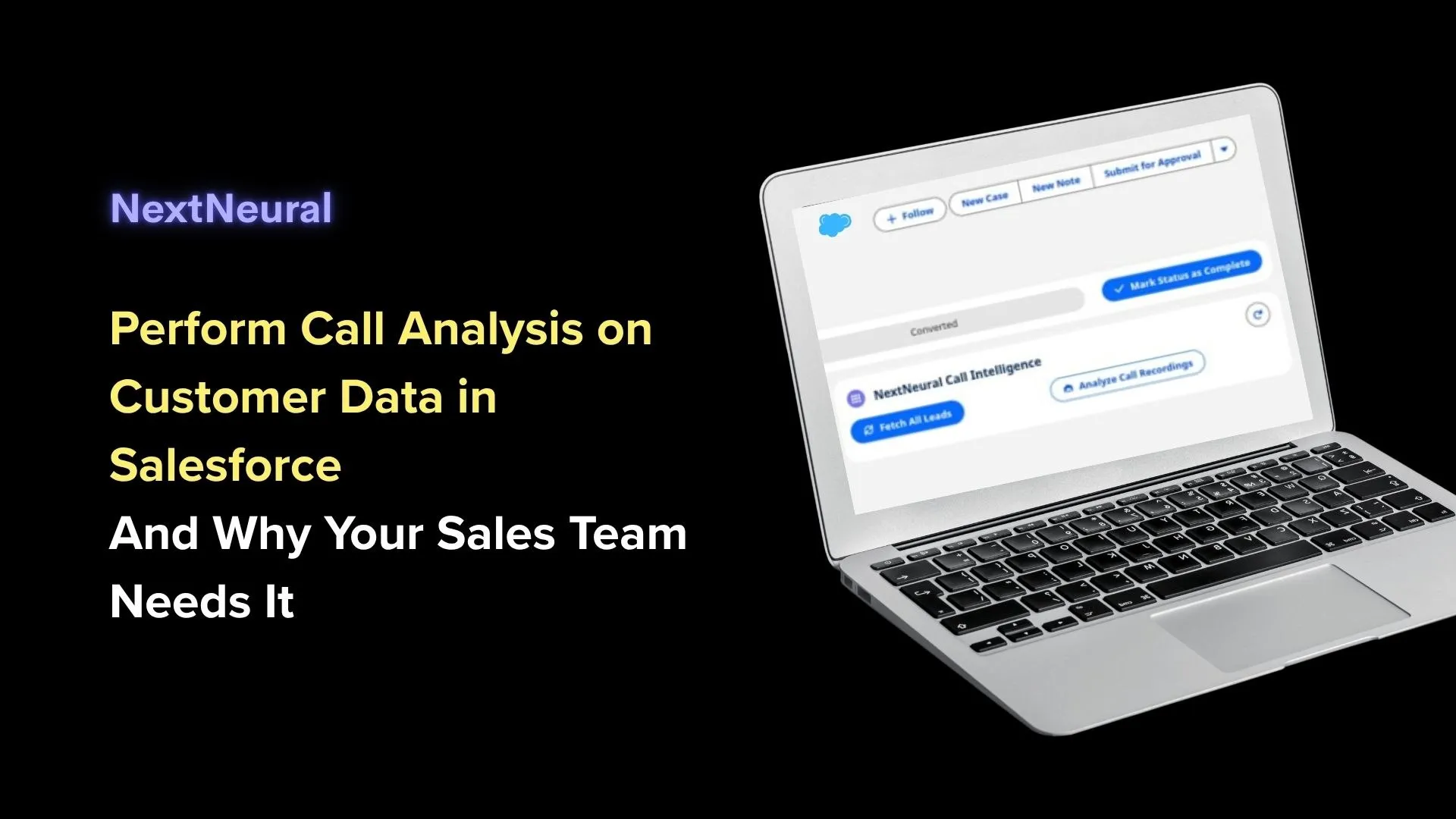
If you run a sales team, you already know the drill. Your reps spend hours every day on prospect calls, closing deals, addressing objections, and negotiating pricing. But what happens after those calls end?
More often than not, critical customer insights disappear into thin air. Your reps either forget to update Salesforce, write generic notes like “Follow up next week,” or spend valuable hours manually listening to call recordings just to fill out CRM fields.
What if you could run deep, automated call analysis directly inside your Salesforce CRM, without leaving your dashboard, and get actionable AI signals in seconds?
In this post, we’ll look at how call analysis works in Salesforce today, what native AI features Salesforce offers, and how NextNeural takes call intelligence to a whole new level.
The Status Quo: What AI Features Does Salesforce Already Have?
Salesforce isn’t new to AI. Through tools like Salesforce Einstein and Einstein Conversation Insights (ECI), the platform offers built-in features for call and conversation analysis.
Here’s what Salesforce’s native AI typically gives you:
- Automated Transcriptions: Converts call audio into text.
- Keyword Spotting: Flags specific words like “pricing,” “competitor,” or product names.
- Basic Sentiment Analysis: Identifies whether a call had a generally positive or negative tone.
- Call Summaries: Generates basic summaries for sales managers to review.
Where Native Salesforce AI Falls Short for Indian Businesses
While Einstein is a decent starting point, many business leaders, CTOs, and sales heads quickly run into a few roadblocks:
- Complex Setup & Steep Licensing Costs: Unlocking advanced Einstein features often requires expensive add-ons and complex enterprise configurations.
- Generic Speech Models: Native tools frequently struggle with Indian accents, code-switching (mixing English with Hindi or regional languages), and local business terminology.
- Disjointed Workflows: Reps and managers often still have to jump between different tabs, windows, or third-party call recording tools to connect the dots.
- Surface-Level Insights: Spotting a keyword like “discount” is great, but did the prospect actually agree to the price, or were they about to churn? Native tools often miss these subtle contextual cues.
That’s exactly why we built NextNeural.
Enter NextNeural: Upgrading Your Salesforce Call Analysis
At NextNeural, we believe call intelligence shouldn’t require complex workflows or multi-step integrations. It should live right where your team works every day: inside your Salesforce CRM dashboard.
Here is how NextNeural makes call analysis faster, smarter, and significantly easier for your team.
1. The Call Analysis Widget: Right Inside Salesforce
Forget context switching or opening ten different tabs to listen to audio files. NextNeural embeds a dedicated Call Analysis Widget directly into your Salesforce CRM interface.
Whether you’re viewing an Account, Opportunity, or Lead page, the analysis widget sits right there on your dashboard. Your team performs call analysis seamlessly without ever leaving Salesforce.
2. One-Click Data Retrieval: The “Fetch Leads” Button
No more searching for audio URLs or trying to match call logs with CRM contact IDs.
Inside the NextNeural widget, all it takes is a single click on the “Fetch Leads” button. NextNeural instantly pulls:
- Customer profile information
- Associated lead data
- Relevant call recordings and logs
In one click, your call data is mapped directly to the right CRM record and ready for instant analysis.
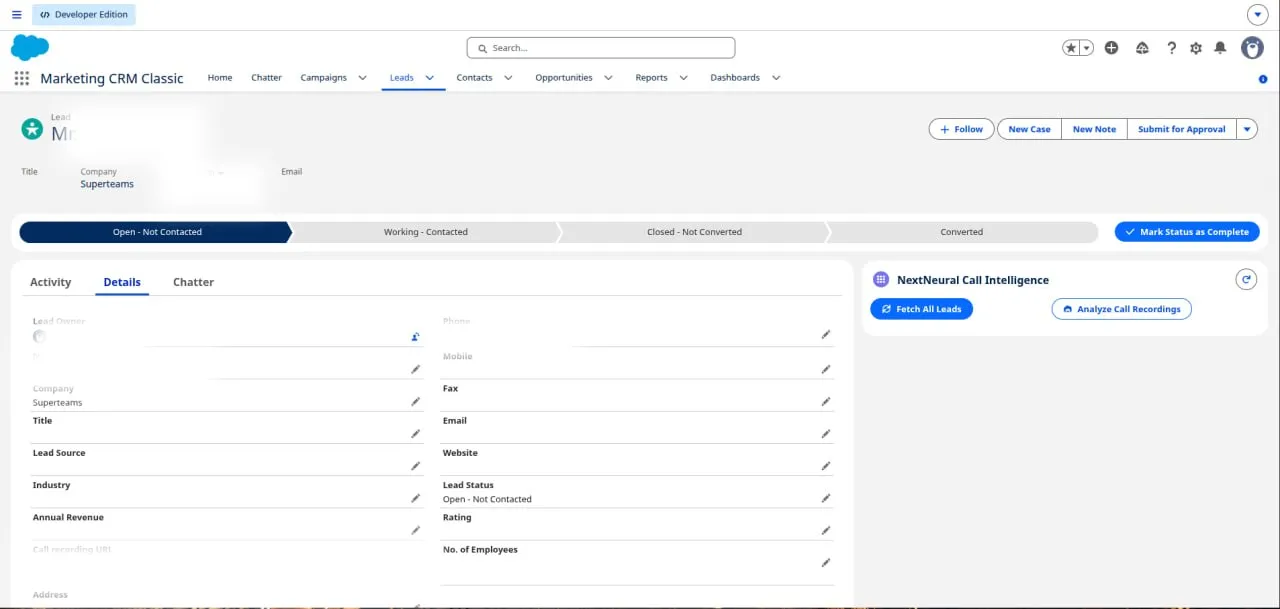
Two buttons: pull in your leads, then analyze their call recordings.
3. AI Signals Delivered in Seconds
Instead of waiting hours for call processing or skimming through endless pages of transcripts, NextNeural extracts high-impact AI signals in seconds.
As soon as a call is fetched, NextNeural’s advanced speech and contextual language engine analyzes the transcription to capture:
- Buying Intent Signals: Is the prospect ready to purchase?
- Deal Risks & Red Flags: Mention of budget constraints, decision-maker delays, or competitor threats.
- Key Objections: What specifically held the customer back (e.g., implementation timeline, pricing structure)?
- Action Items & Commitments: Specific promises made by your rep or the client during the call.
- Customer Sentiment: Deep, context-aware sentiment analysis tailored to Indian communication styles.
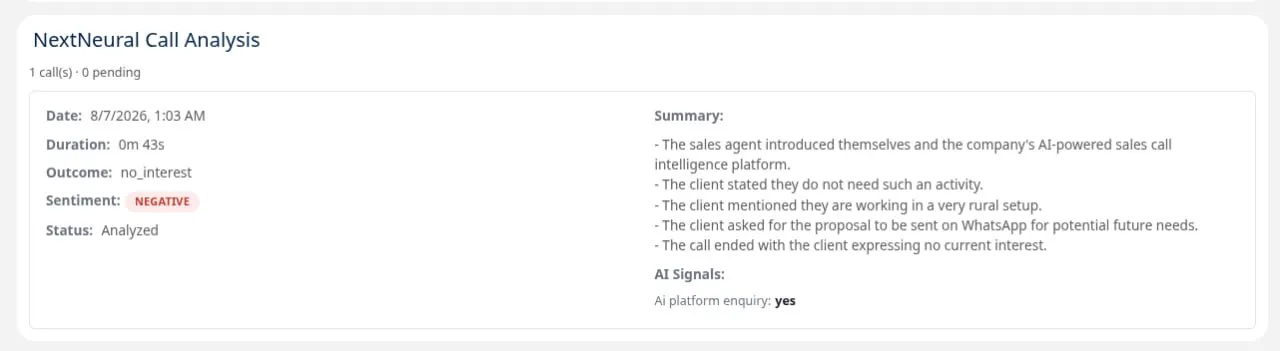
What you get back after a call is analyzed: outcome, sentiment, a quick summary, and any custom signals you set up.
4. Zero Manual Listening, Zero Manual CRM Updating
Let’s be honest: your sales reps were hired to sell, not to do manual data entry.
With NextNeural:
- No one needs to manually listen to full call recordings just to find out what happened.
- No one has to manually type call summaries into Salesforce.
NextNeural automatically populates key CRM fields with structured insights, summaries, and next steps the moment the call ends. This saves your reps hours of administrative work every week, allowing them to spend more time engaging qualified leads.
Comparison at a Glance: Salesforce Native AI vs. NextNeural
| Feature | Salesforce Native AI (Einstein) | NextNeural |
|---|---|---|
| Workflow Experience | Often requires switching tabs or navigating complex sub-menus | Embedded widget directly on your Salesforce dashboard |
| Data Synchronization | Manual mapping or rigid setup required | 1-Click “Fetch Leads” button for instant retrieval |
| Turnaround Time | Processing delays on large call batches | Instant AI signals extracted from transcripts in seconds |
| Accent & Context Sensitivity | Best suited for standard Western accents | Optimized for Indian accents, speech nuances, and local context |
| Admin Load | Reps still spend time validating and updating fields | Fully automated CRM field updates, zero manual effort |
How to Get Started with NextNeural on Salesforce
Setting up NextNeural call analysis for your Salesforce environment is straightforward:
- Connect Your Call Channels: Link your telephony, VOIP, or dialer systems to NextNeural.
- Access the Widget: Open your Salesforce CRM dashboard where the NextNeural Call Analysis widget is embedded.
- Click “Fetch Leads”: Instantly load customer data and recordings into the tool.
- Review AI Signals: Get instant, actionable intelligence and let AI handle the data updates automatically.
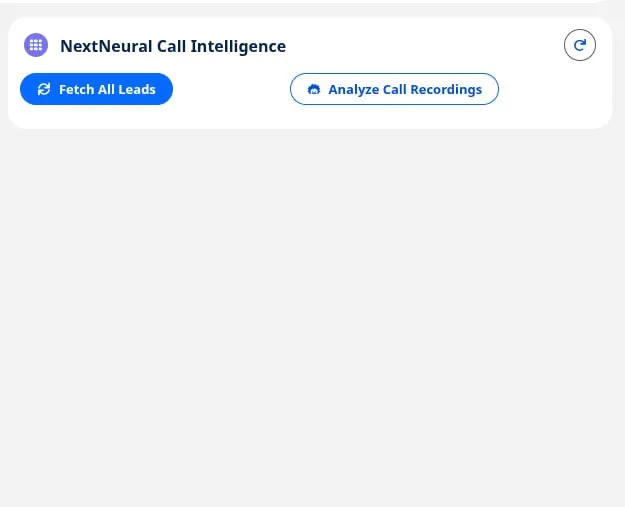
The NextNeural panel sitting right on a Salesforce Lead, next to the customer’s info.
Ready to Transform Your Sales Operations?
Your call recordings hold the key to faster sales cycles, better rep coaching, and higher conversion rates. Don’t let that data go to waste in unlistened audio files or empty CRM records.
With NextNeural, you get deeper call intelligence, tailored for your business, right inside Salesforce.
Want to see how NextNeural works for your sales team? Visit NextNeural today to schedule a quick demo and turn your call data into your biggest growth driver.
Built by the Team Behind Superteams.ai
NextNeural is built and run by Superteams.ai, an R&D-first team that ships production-grade AI systems in 30 to 90 days, across real estate, fintech, and SaaS. The same team behind this platform is the one you’d be talking to.
If you want to get a walk through of what call intelligence inside Salesforce could look like for your team specifically, book a strategy call with Superteams.
Ready to Transform Your Business with AI?
Join NextNeural today and deploy production-ready AI agents in minutes.
Build an Agent